Plan the week.
Shop it by aisle.
Pick a few meals for the week. Fornetto asks what you’re missing, then builds one shopping list for the whole household, sorted by aisle.
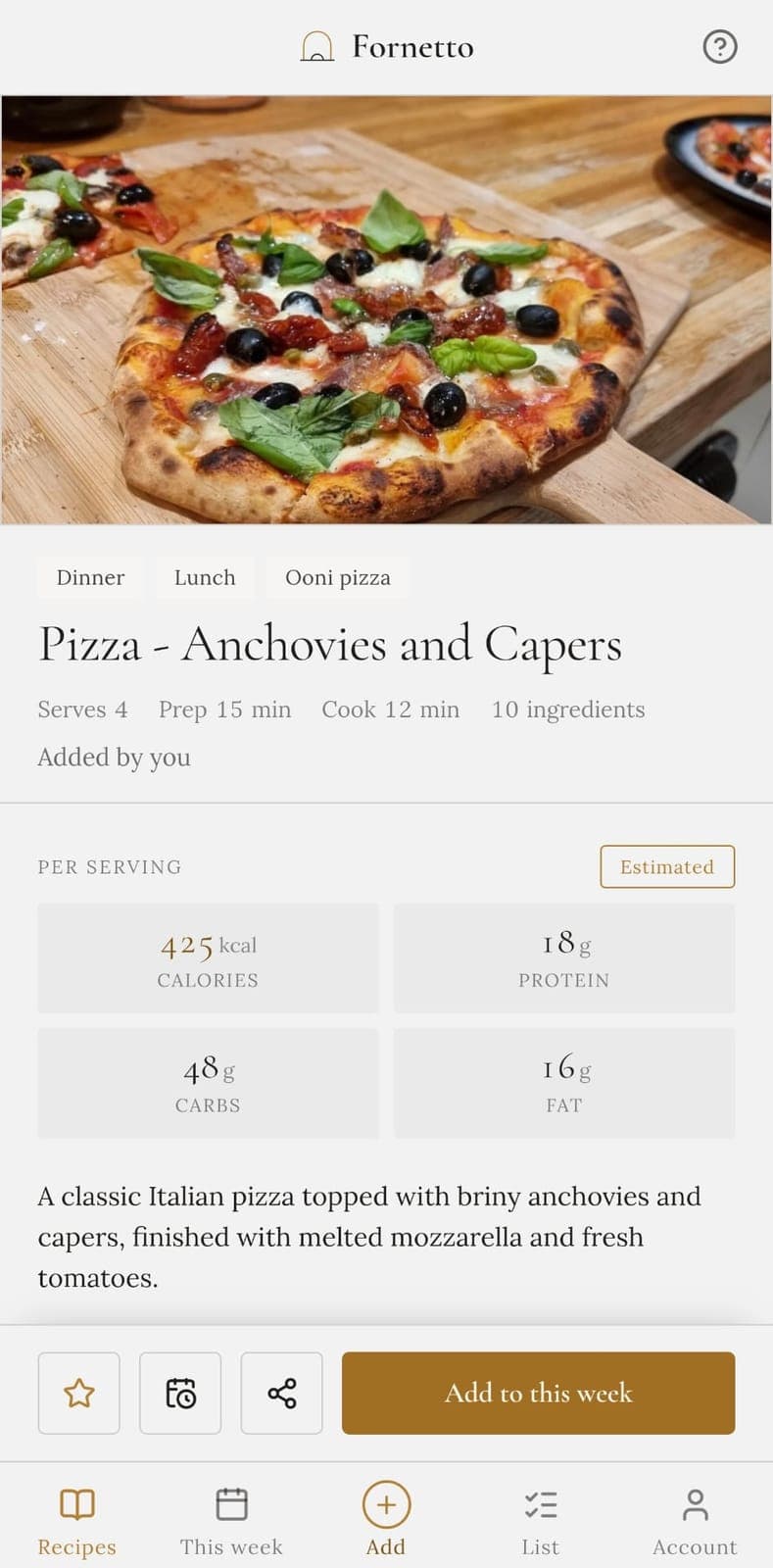
Paste a recipe link
See it work before you sign up. Fornetto keeps the recipe from most recipe pages and leaves the adverts and the life story behind.
Three steps, once a week
It takes a few minutes on a Sunday. Read the full guide.
Pick what you fancy
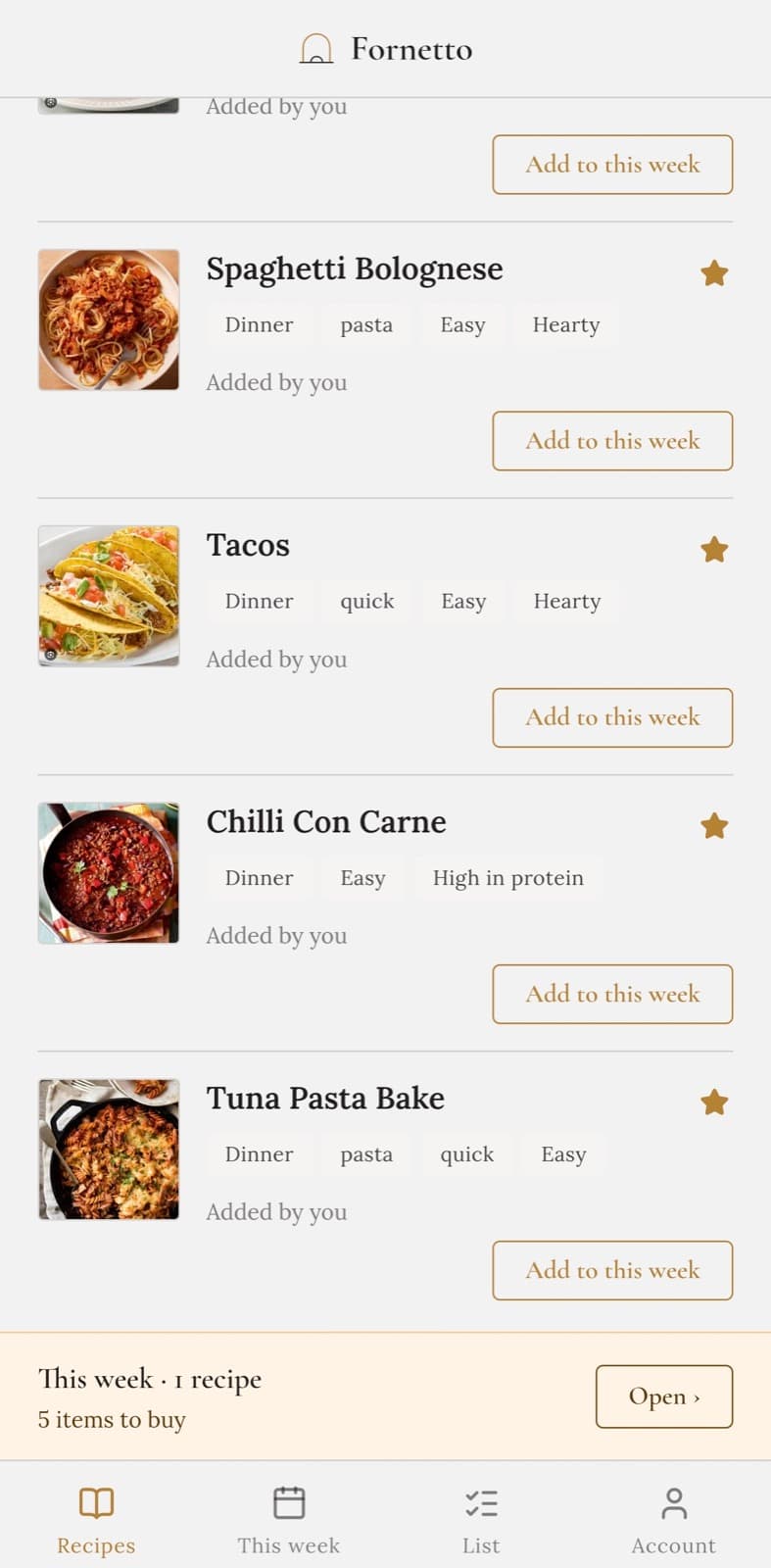
Start with forty ready-made recipes and add your own as you go. Search by name, or by ingredient when the question is really “what can I do with chicken?”
Tick what you’re missing
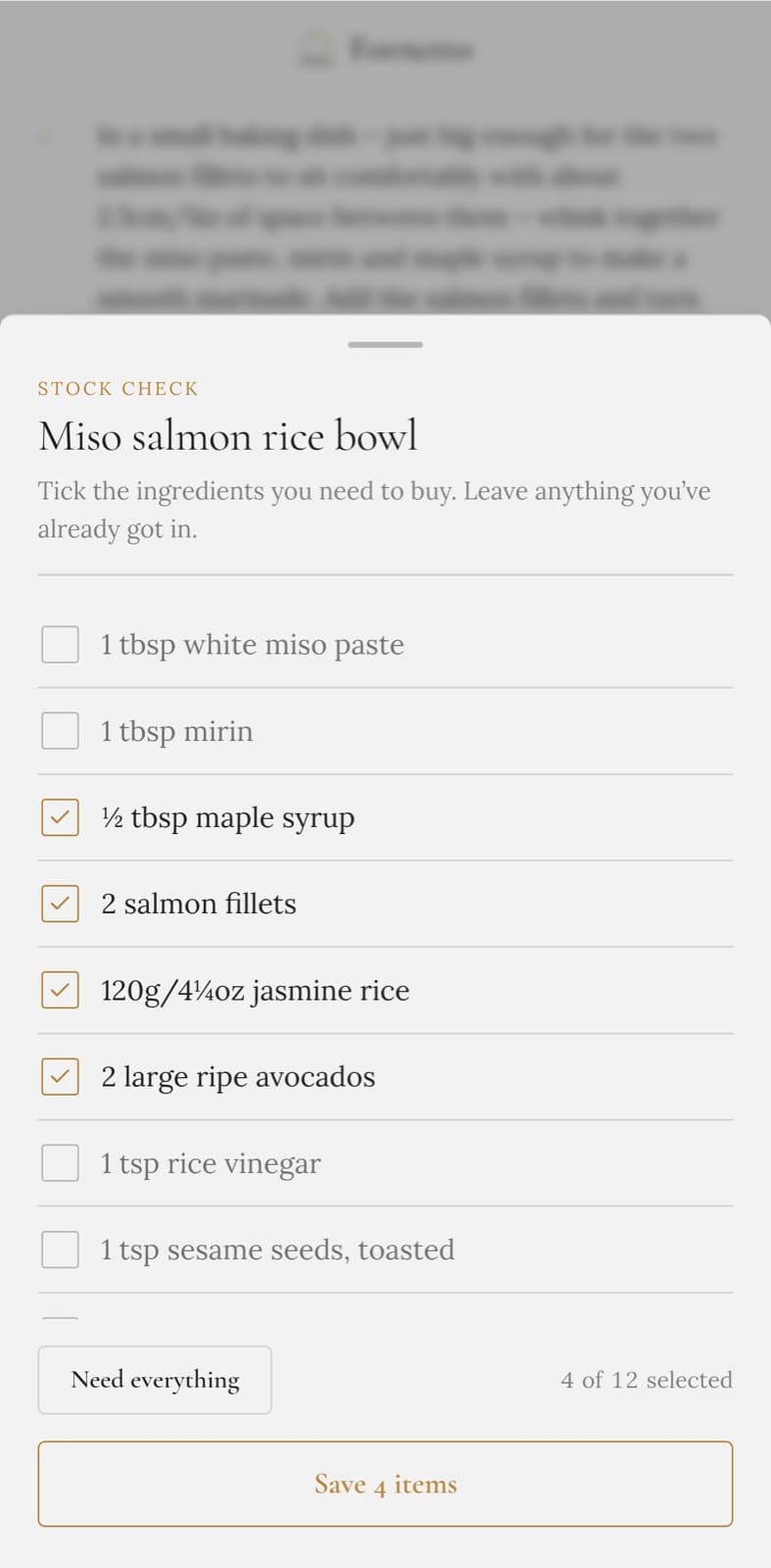
When you add a recipe to the week, a quick stock check lists what it needs. Tick what you’re missing, and anything already in the cupboard stays off the list.
Shop it by aisle
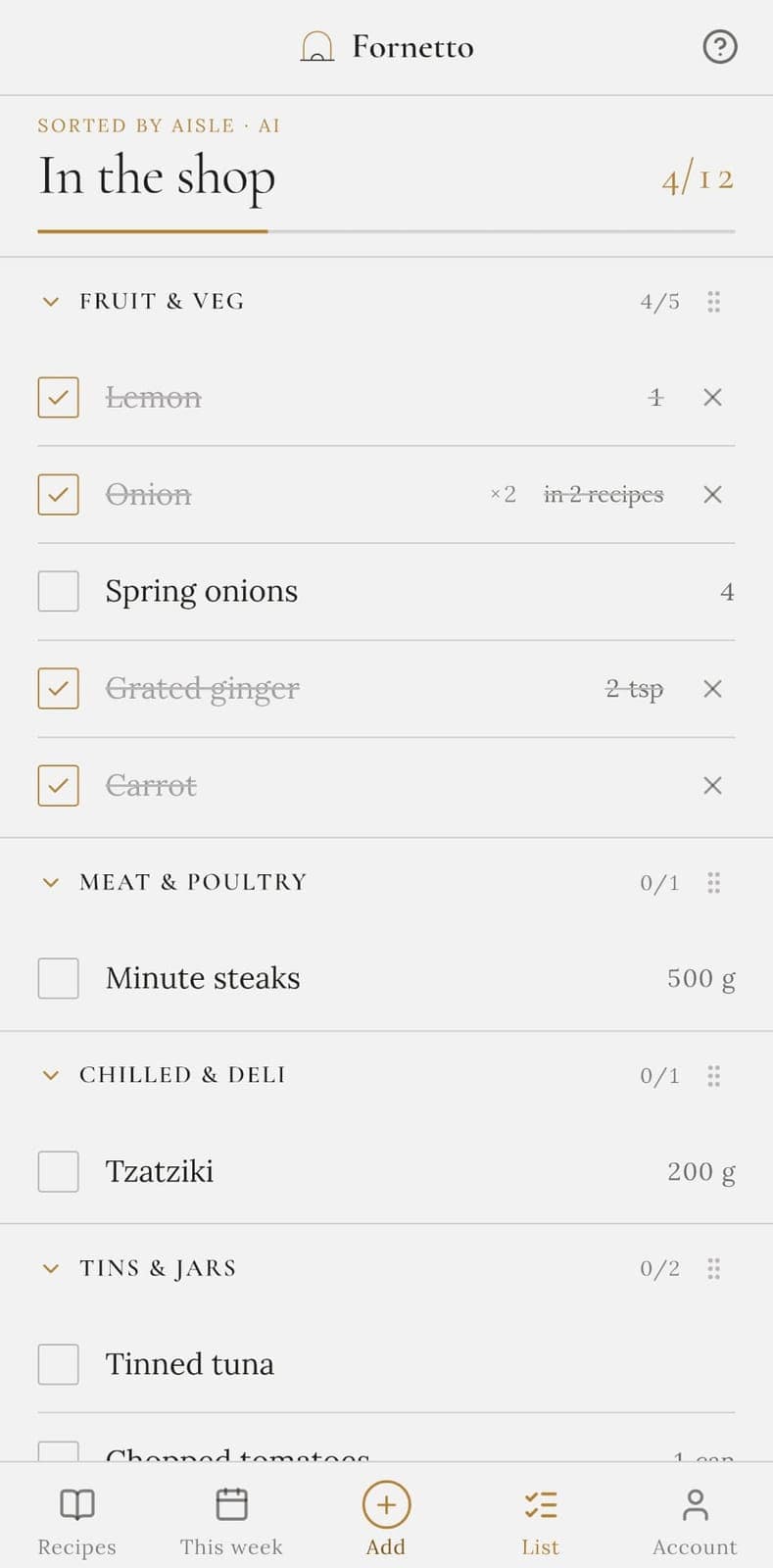
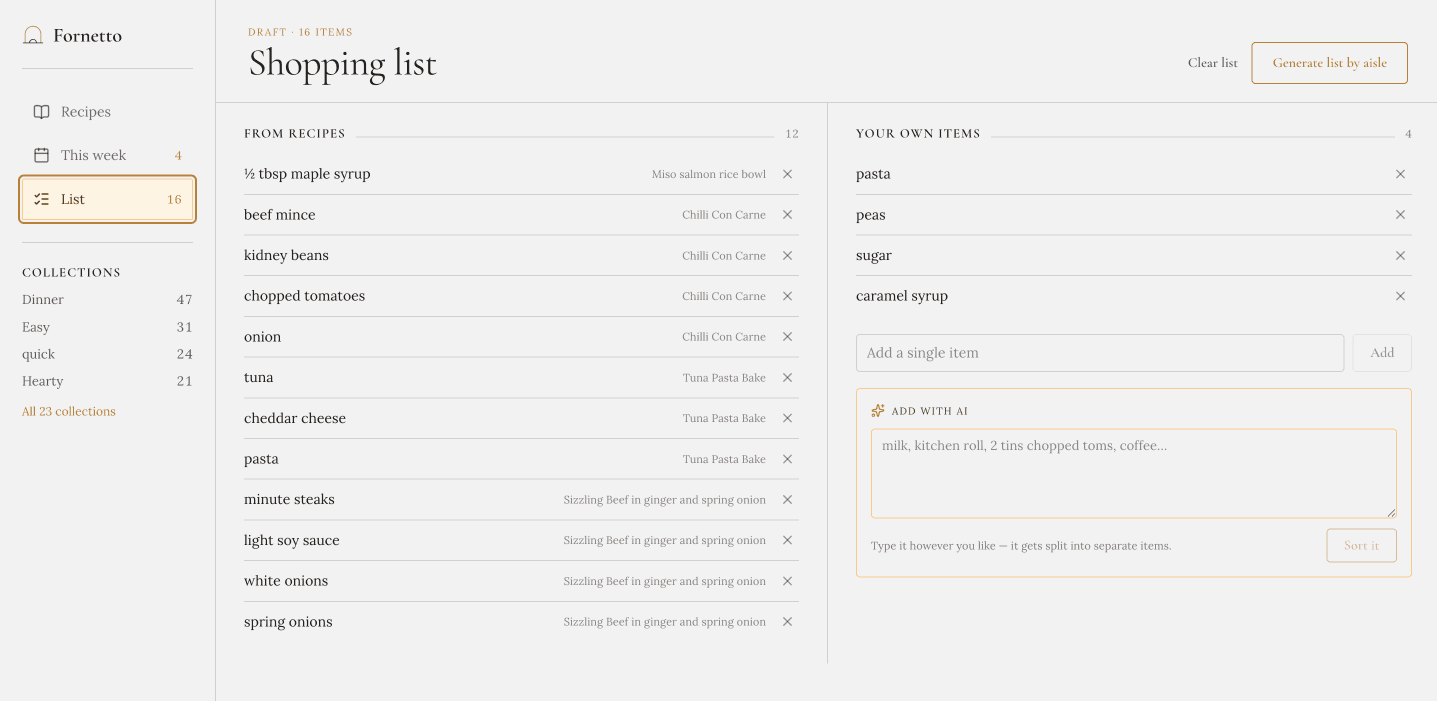
One list for the whole week, sorted into supermarket aisles. An ingredient three recipes share appears once, and you walk the shop once instead of zig-zagging it.
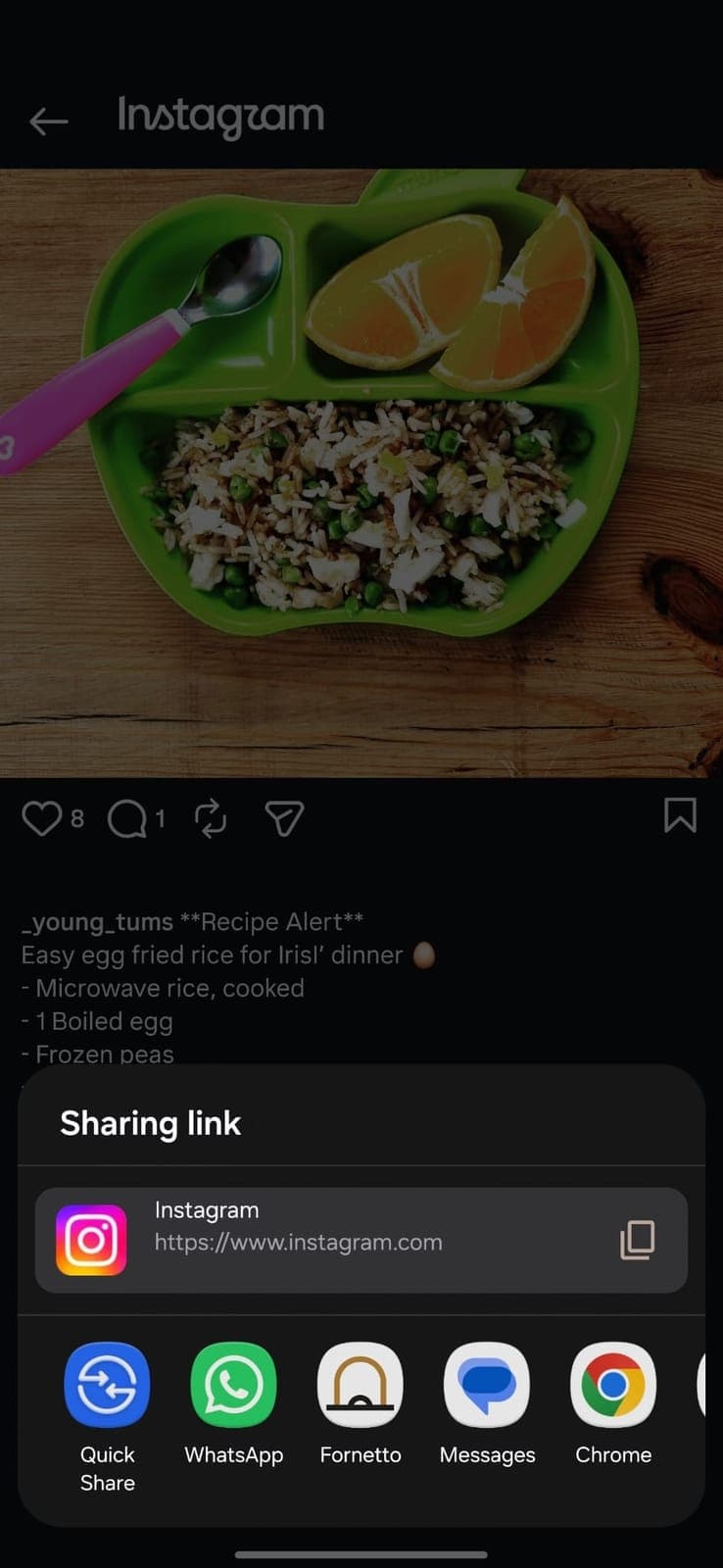
Paste a link
Most recipe pages. Fornetto keeps the recipe and its photo, drops the adverts and pop-ups, and you check it before saving.
Photograph a page
For the battered cookbook on the shelf. Take a photo of the page and Fornetto reads the ingredients and method off it.
Type a title
“Thai green chicken curry.” That’s enough: Fornetto drafts the ingredients and method, and you edit it into your version.
Can’t think what to cook?
The meals you actually like, one tap away — not a memory test at six o’clock.
The ones you liked, kept
Star your favourites and group recipes your own way: quick, hearty, the ones the kids will eat. A good one doesn’t get forgotten.
Inspiration
New dishes that fit your household’s diet and preferences, written up as full recipes.
Nutrition on every recipe
Calories, protein, carbs and fat per serving, there while you’re choosing. If a recipe has no figures, one tap estimates them and says plainly when the estimate is rough.
One hand, a trolley
and no signal
Most list apps stop being useful the moment you’re standing in a supermarket holding a basket. This is the part we spent the longest on.
Aisles in your order
Drag the sections to match the layout of your shop. Fornetto remembers it for next time.
Ticks survive bad signal
Tick things off in a concrete-walled aisle. Changes queue up and sync when you’re back online.
The screen stays awake
No unlocking your phone with one hand while you hold a bag of onions in the other.
Forgot something?
Add it there and then, without starting the list again.
One list everyone can add to
Nobody has to remind whoever’s going to the shop.
A shared list, live
Anyone adds “we’re out of milk” from their own phone. Whoever’s at the shop sees it there.
Type it all in one go
“Milk, kitchen roll, 2 tins chopped toms, coffee.” One messy line becomes tidy separate items on your list.
Everyone sees the same week
Recipes, the week’s meals and the list are shared. Invite people by email, or with a link you can send on WhatsApp.
Free to start. More when you’re ready.
Planning, the list and sharing with one other person are free, always. Every new account starts with 14 days of Premium, no card needed.
Free
Everything Fornetto does for a household of two, with a monthly allowance for the AI.
- Recipes, the weekly plan and the shopping list
- 30 AI credits a month; the shopping list never uses one
- Share with one other person
- Works offline in the shop
Premium
More AI, for the whole household.
- Everything in Free
- 300 AI credits a month
- Your whole household, however many of you
- Cancel any time
Most AI actions use one credit (reading a recipe from a link, a reel or a title, a nutrition estimate, Inspiration); a photo scan uses three. When the 14 days end you’re on Free unless you choose Premium. Nothing you’ve made is taken away. Free covers two people; in a bigger household the others can still look, but not change things, until you choose Premium.
No app store needed
Add Fornetto to your home screen and it behaves like any other app: full screen, its own icon, and it opens even with no signal. On a laptop it runs in the browser and stays in sync with your phone, so you can plan on the sofa and shop from your pocket.
Before you sign up
Do I have to add all my recipes before it’s useful?
No. There are forty ready-made recipes with photos you can add in one tap, so the app is usable the minute you sign up. Add your own as you go.
What does it cost?
Planning, shopping and sharing with one other person are free. Every new account starts with 14 days of Premium, no card needed. When the 14 days end you’re on Free unless you choose Premium, and nothing you’ve made is taken away. Free covers two people; in a bigger household the others can still look, but not change things, until you choose Premium. The AI extras (reading a recipe from a link, photo, title or reel, nutrition estimates, and the dishes Inspiration suggests) use credits: Free has 30 a month, most actions cost one, a photo scan three, and the shopping list never costs anything. Premium is £3.99 a month, or £29.99 a year, for 300 credits and as many people as live in your kitchen. Upgrade or cancel any time.
Is it an app? Do I need the App Store?
Fornetto runs in your browser and installs to your home screen from there: full screen, its own icon, and it works in the shop with no signal. No app store, no update nags. The install guide walks through it for iPhone and Android.
What’s the easiest way to plan meals for the week?
Pick a few recipes you already like and add them to this week. Fornetto turns them into one shopping list, asks what you’ve already got, and sorts the rest by aisle. Most people do it on a Sunday in a few minutes.
Can I save a recipe from a website without the adverts and the life story?
Yes. Paste the link and Fornetto keeps just the recipe: title, ingredients, method, photo. No pop-ups, no scrolling past someone’s holiday, and a recipe written in another language comes in translated into English. On your phone you can skip the paste too: tap Share on the page and pick Fornetto, and it opens already importing. The original link is kept on the recipe in case you want it.
How do I save a recipe from Instagram, TikTok or YouTube?
Share the post to Fornetto, or paste its link or caption into the add box. It reads the ingredients and method out of the caption and drafts a recipe you can check before saving.
Does importing always work?
Usually, on ordinary recipe pages. Photographs of cookbook pages work best on a flat page in decent light. Instagram and TikTok sometimes won’t hand over a link automatically, so you can paste the caption instead and it reads that. A recipe in another language is translated into English, and if that ever fails it keeps the original wording. Either way you see what it read before anything is saved, so you can correct it, and the original link is kept on the recipe.
Is there a shopping list that sorts things by supermarket aisle?
That’s the point of Fornetto. Generate the week’s list and it comes out grouped by aisle — fruit and veg, chilled, tins, bakery — in the order you walk the shop. Drag the aisles into your own store’s order once and it remembers.
How does it know what I already have in the cupboard?
When you add a recipe to the week, a quick stock check lists its ingredients and how much of each the recipe needs. Tick what you’re missing and leave what you’ve already got; only what you tick goes on the list. An ingredient two recipes share appears once, amounts added together where the units match, and the list says how many recipes it’s in.
Can I add things that aren’t from a recipe, like washing-up liquid?
Yes. Add single items, or paste a whole brain-dump (“loo roll, bin bags, that cheese Sam likes”) and Fornetto splits it into items and files them under the right aisle.
Will it work in my supermarket with no signal?
Yes. Once you’ve opened it with signal, the installed app opens with none: your recipes, this week and your shopping list are there as you last saw them, and anything you tick is stored and synced the moment you have a connection again. It shows what your phone last saw with signal, so something your household added after that appears once you’re back online. Adding a recipe and generating the list by aisle need a connection.
Can two people share one shopping list and both add to it?
Yes. Invite your household by email, or with a link you can send on WhatsApp, and everyone sees the same recipes, the same week and one live list. Whoever notices you’re out of milk adds it from their phone; whoever gets to the shop sees it there, and what they tick off is ticked for everyone.
Does it work for a household with different diets?
You can set a kitchen-wide rule (vegetarian, no pork, gluten-free…) and each person’s own preferences. Inspiration, the starter recipes and the AI-drafted recipes follow them; anything you import yourself keeps its own ingredients, translated into English if it arrives in another language.
How accurate is the nutrition information?
If a recipe came with figures, they’re the recipe’s own. If you asked Fornetto to work them out from the ingredients, they’re an estimate — and clearly labelled as one. Useful for choosing between meals; not a substitute for a proper food diary.
Sunday’s job, done
in a few minutes
Fornetto was built by one household to fix its own weeknights. Pick the week’s meals, get a list you can actually shop from, and stop buying a third jar of cumin.